
How to Place an Order Using Bank Transfer on Our Website
For customers who prefer paying directly through their bank, our website offers a convenient Bank Transfer payment method. This option allows you to complete your order by transferring the payment to our bank account and uploading the receipt for verification.
Below is a step-by-step guide to help you place your order easily.
1. Adding Products to Your Cart
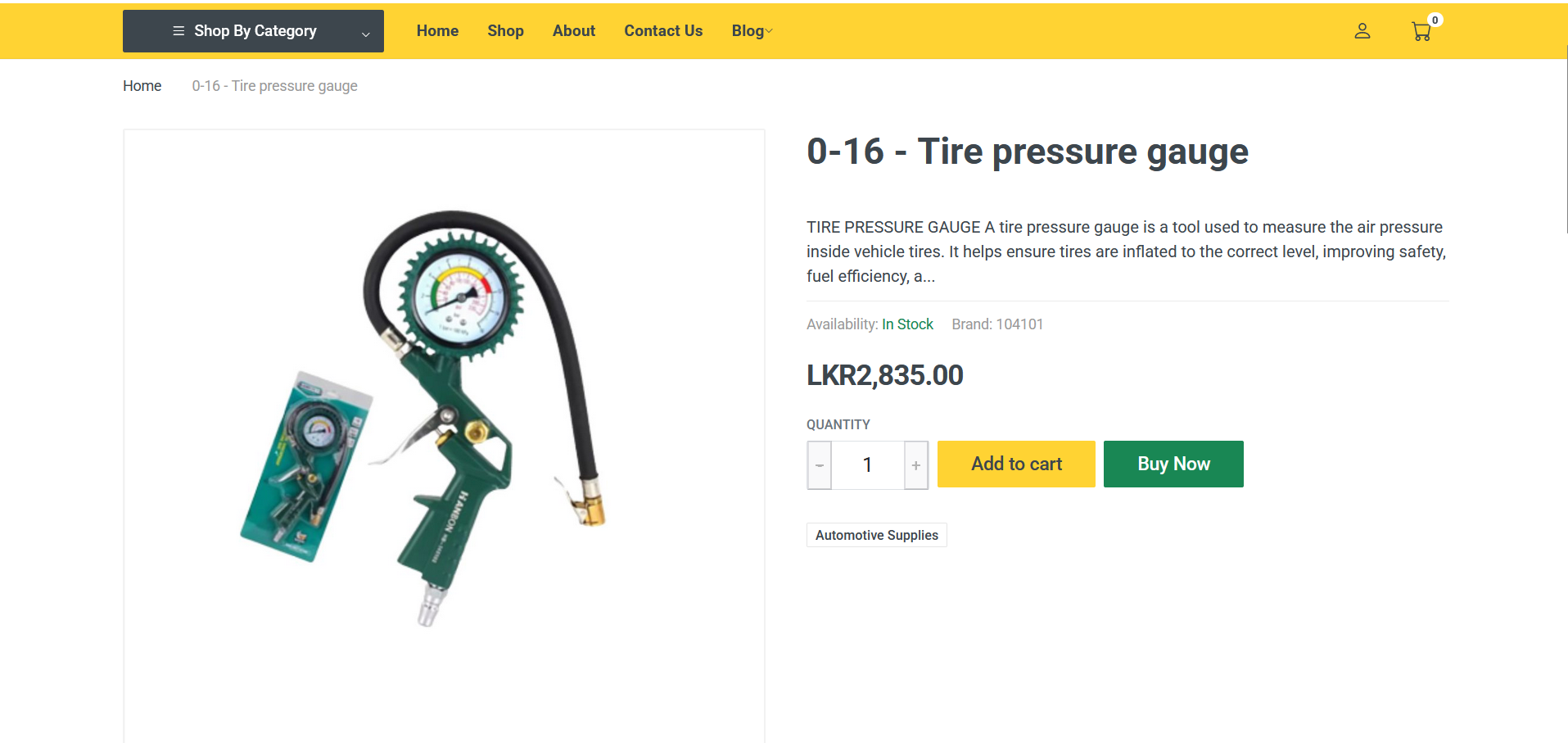
When viewing a product, you will see two options: Add to Cart and Buy Now.
Using Add to Cart
-
Click Add to Cart to continue shopping or to buy multiple items.
-
Open your Cart page to view all added products.
-
The cart will show each item, its price, quantity, and the total amount.
-
After confirming your items, click Proceed to Checkout.
2. Using the Buy Now Button
If you're purchasing a single item:
-
Click Buy Now to skip the cart.
-
You will be redirected straight to the checkout page for that one product.
-
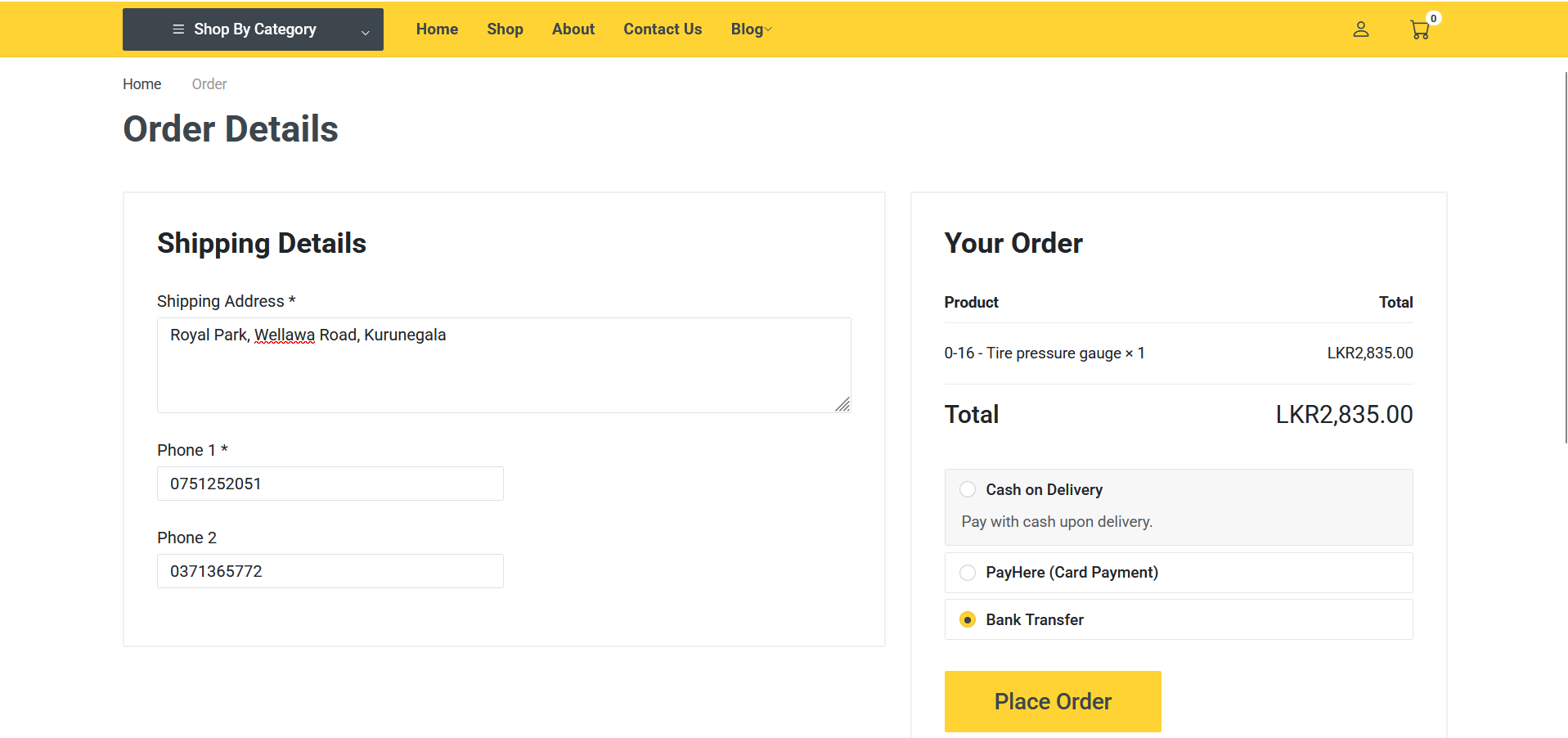
The product name and price will be clearly displayed.
3. Entering Your Delivery Details
On the checkout page, enter your:
-
Primary Phone Number
-
Secondary Phone Number (optional)
-
Delivery Address
Correct details help us complete delivery smoothly.
4. Selecting Bank Transfer Payment
Under the payment options, choose Bank Transfer.
This option is ideal if you want to pay using online banking, mobile banking, or by visiting a bank physically.
5. Viewing Bank Account Details
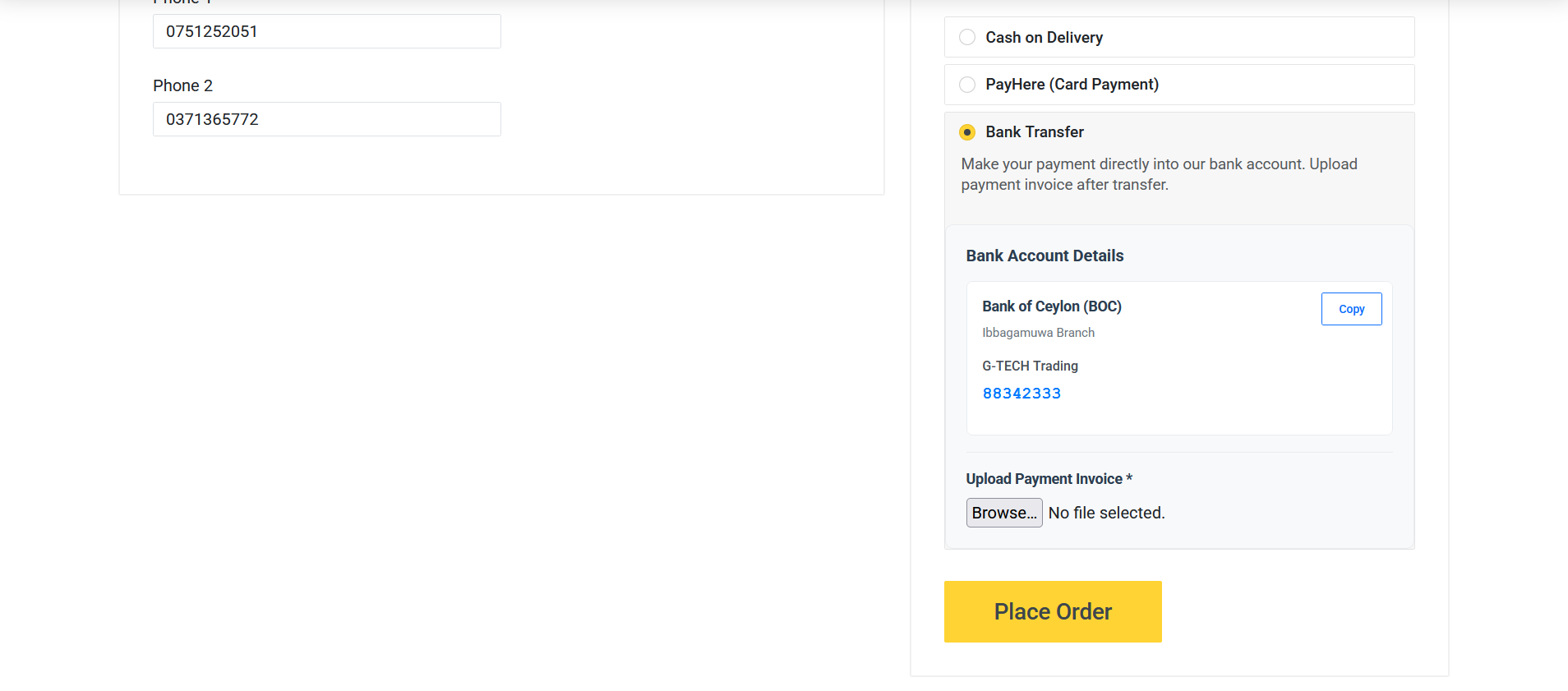
When you click Place Order, you will be shown a list of our bank accounts.
You will see:
-
Bank Names
-
Account Numbers
-
Account Holder Name
-
Any payment instructions
Use these details to complete the bank transfer.
6. Uploading the Payment Receipt
Once you have transferred the amount to the given bank account:
-
Take a clear photo or a screenshot of the payment receipt.
-
Return to the payment page and click Browse or Upload Receipt.
-
Select your receipt file and upload it.
This step is required so we can verify your payment.
7. Completing the Order
After uploading the receipt:
-
Click the Place Order button again to complete the order.
-
If everything is successful, you will be redirected to your Profile page.
-
On your profile, you can view your order details and status updates.
Your order will be verified and processed once the payment receipt has been checked by our team.
8. Why Choose Bank Transfer?
Many customers prefer this method because:
-
It works with any Sri Lankan bank
-
It allows payment through mobile banking apps
-
No need for a bank card
-
Extra secure for customers who prefer manual payment
-
You can keep your own proof of payment