
How to Place an Order Using PayHere Card Payment on Our Website
If you prefer paying online using your debit or credit card, our website offers a smooth and secure checkout experience through PayHere, one of Sri Lanka’s most trusted online payment gateways. This guide will walk you through each step so you can easily place your order using card payment.
1. Adding Products to Your Cart
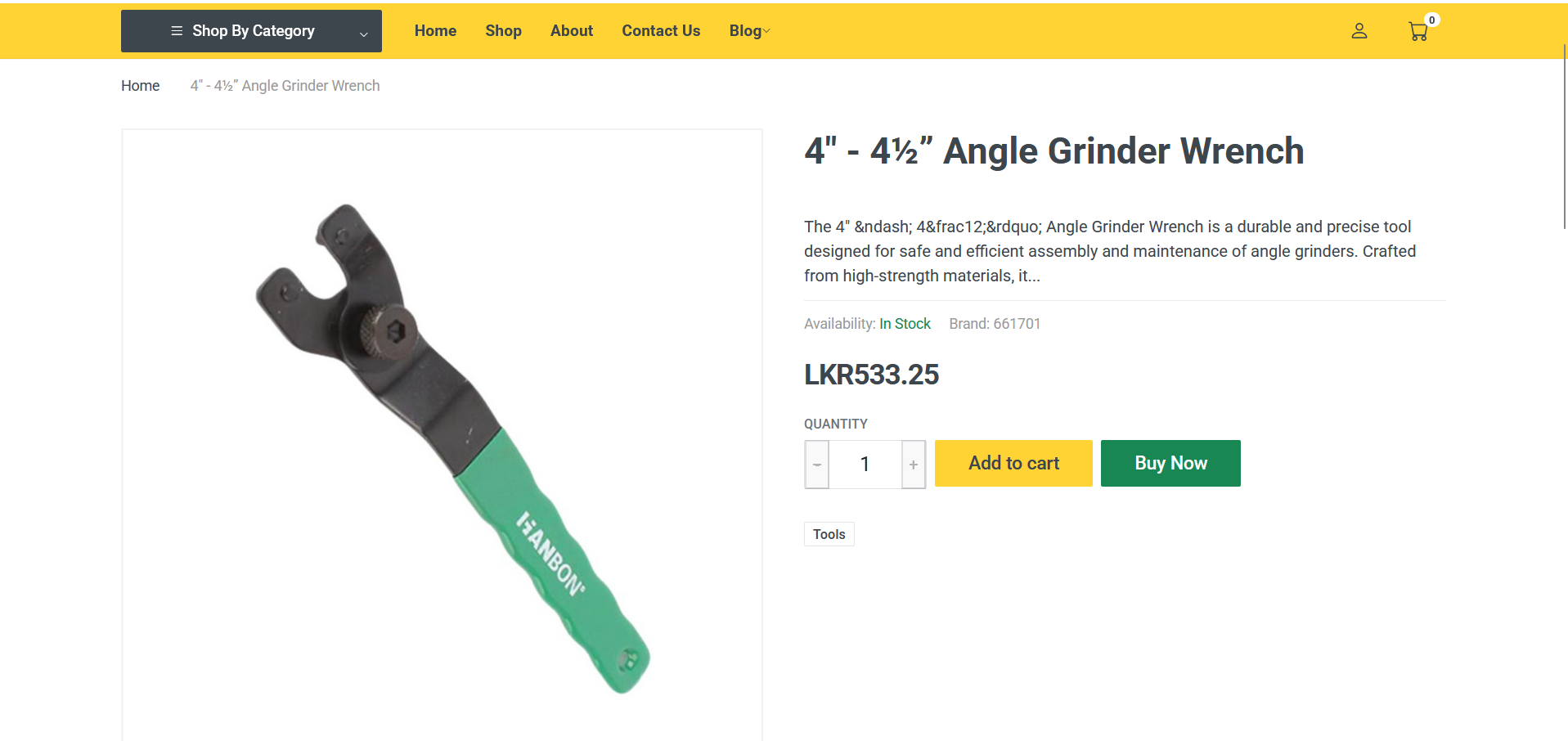
When you open any product page, you will see two options: Add to Cart and Buy Now.
Using Add to Cart
-
Click Add to Cart if you want to add multiple items.
-
After adding products, visit your Cart page.
-
The cart will show all items, their prices, quantities, and the total amount.
-
Once you confirm everything is correct, click Proceed to Checkout.
2. Using the Buy Now Button
If you want to purchase only one item quickly, choose Buy Now.
-
You will be taken directly to the checkout page for that single product.
-
The product details and price will be displayed clearly.
This is the fastest option for single-item purchases.
3. Entering Your Delivery Information
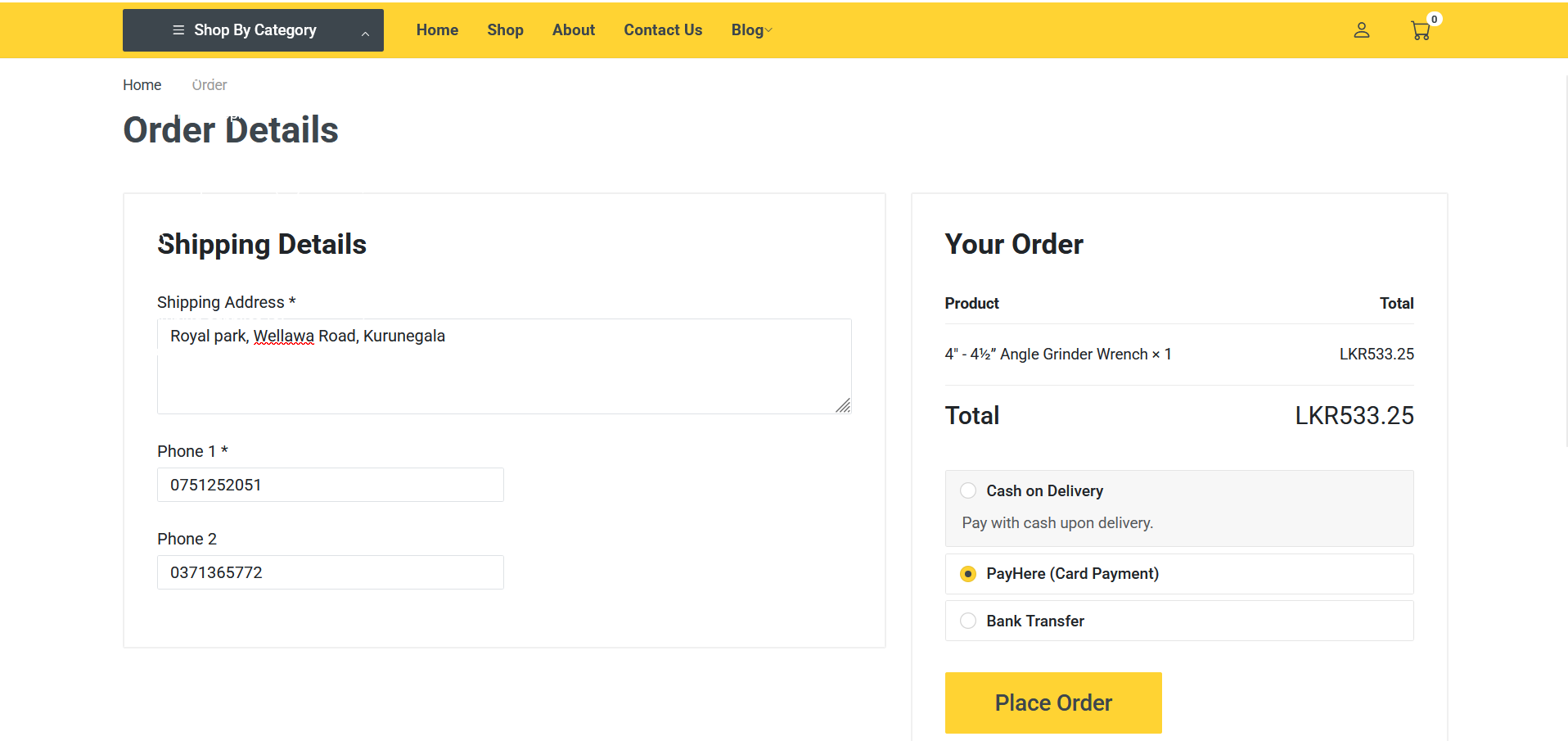
On the checkout page, you will need to enter:
-
Primary Phone Number
-
Secondary Phone Number (optional)
-
Delivery Address
Make sure your phone number and address are correct, as this helps us deliver your order smoothly and contact you if needed.
4. Selecting PayHere Card Payment
Before completing your order, choose Card Payment (PayHere) as your payment method.
PayHere supports:
-
Visa
-
MasterCard
-
American Express
-
Debit Cards
-
Credit Cards
-
Internet Banking (if enabled)
This method allows you to pay online instantly and securely.
5. Redirecting to the PayHere Payment Page
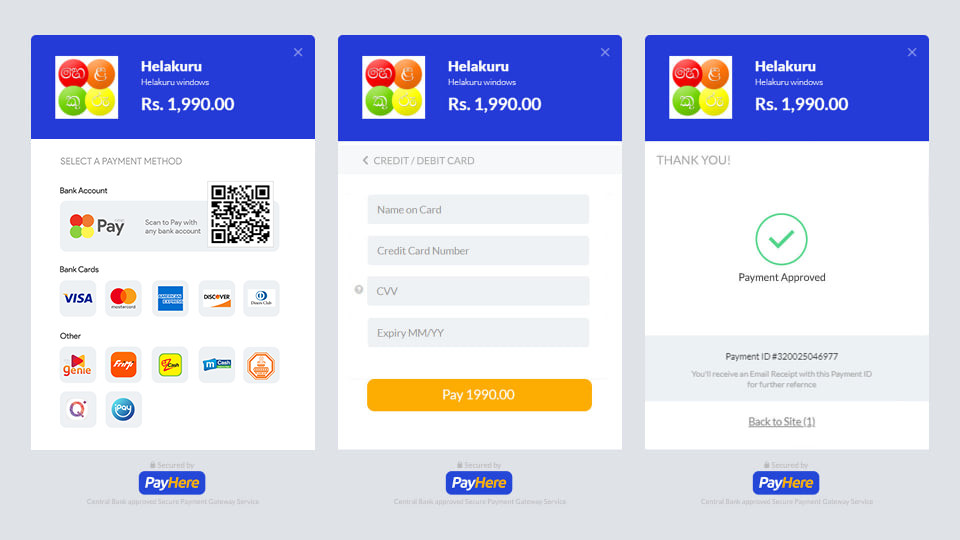
Once you click Place Order, you will be automatically redirected to the PayHere Secure Payment Page.
Here you can:
-
Enter your card number
-
Enter the card expiry date
-
Enter the CVV code
-
Confirm the payment
PayHere uses a highly secure, encrypted payment system, ensuring your information is protected.
6. Completing the Payment
After entering your card details:
-
Click Pay to complete the transaction.
-
PayHere will process your payment within a few seconds.
-
Once the payment is successful, you will be redirected back to your Profile / Order Confirmation page.
On your profile page, you can view:
-
Your order number
-
Payment status
-
Delivery status updates
This confirms that both your order and your payment were successful.
7. Why Use PayHere Card Payment?
Many customers choose PayHere for these benefits:
-
Fast and secure online payment
-
No need to handle cash on delivery
-
Instant order confirmation
-
Trusted by thousands of Sri Lankan businesses
-
Supports all major bank cards