
How to Place a Cash-on-Delivery (COD) Order on Our Website
Placing a Cash-on-Delivery (COD) order on our hardware e-commerce website is simple and beginner-friendly. Whether you want to buy a single item or multiple products, you can place your order in just a few steps. This guide walks you through the process using both the Add to Cart and Buy Now options.
1. Browsing and Selecting Your Product
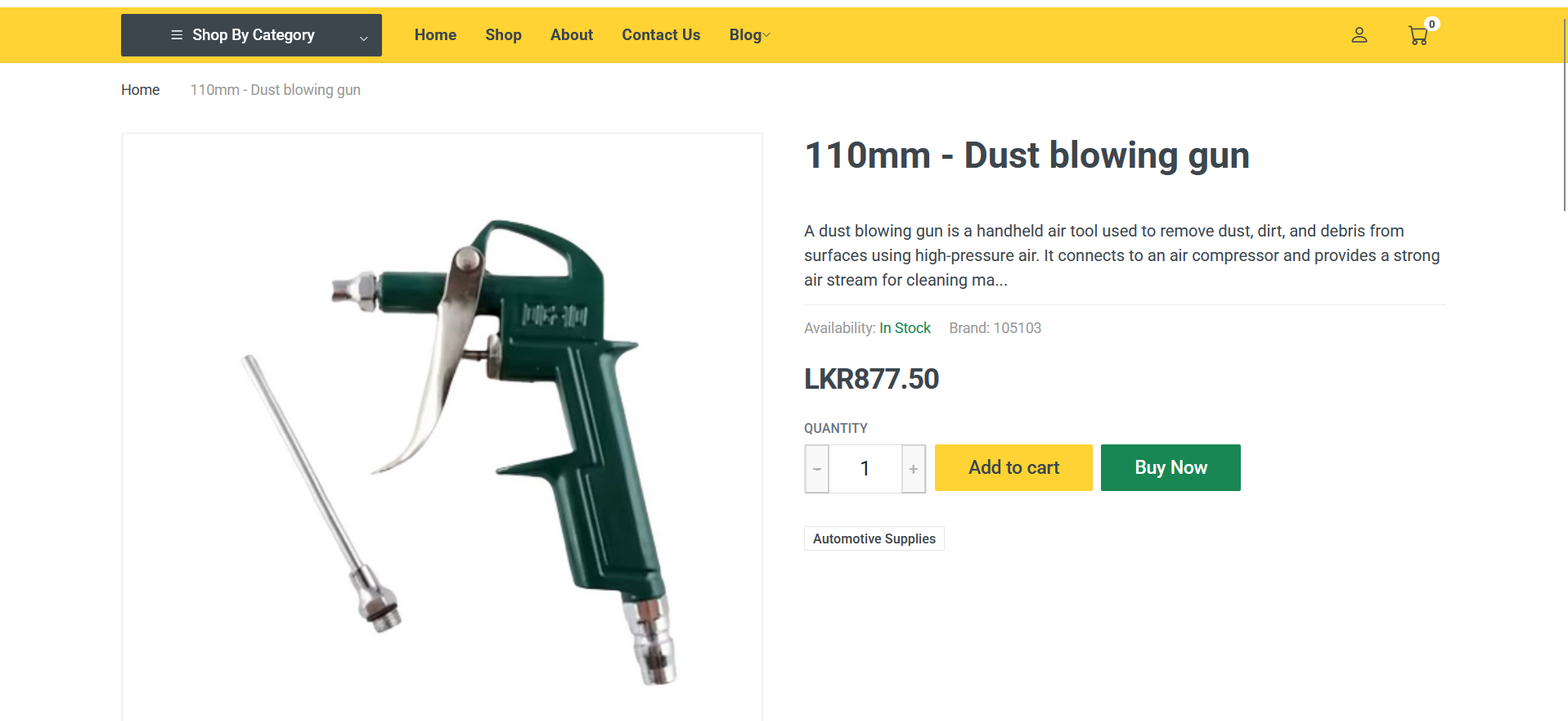
Start by visiting the product page of the item you want to purchase. You will see two main options:
-
Add to Cart
-
Buy Now
Both options allow you to place a COD order, but they work slightly differently.
2. Using the Add to Cart Option (For Multiple Items)
If you want to purchase more than one item, the Add to Cart button is the best choice.
-
Click Add to Cart on any product you want.
-
After adding all required items, open your Cart.
-
The cart will display:
-
Each product you added
-
Quantity
-
Individual prices
-
Total amount for all products
-
-
Review your items and click Proceed to Checkout.
This option is ideal if you are buying several hardware items at once.
3. Using the Buy Now Option (For Single Items)
If you want to purchase only one item quickly, click Buy Now.
-
When you click Buy Now, you will be taken directly to the checkout page.
-
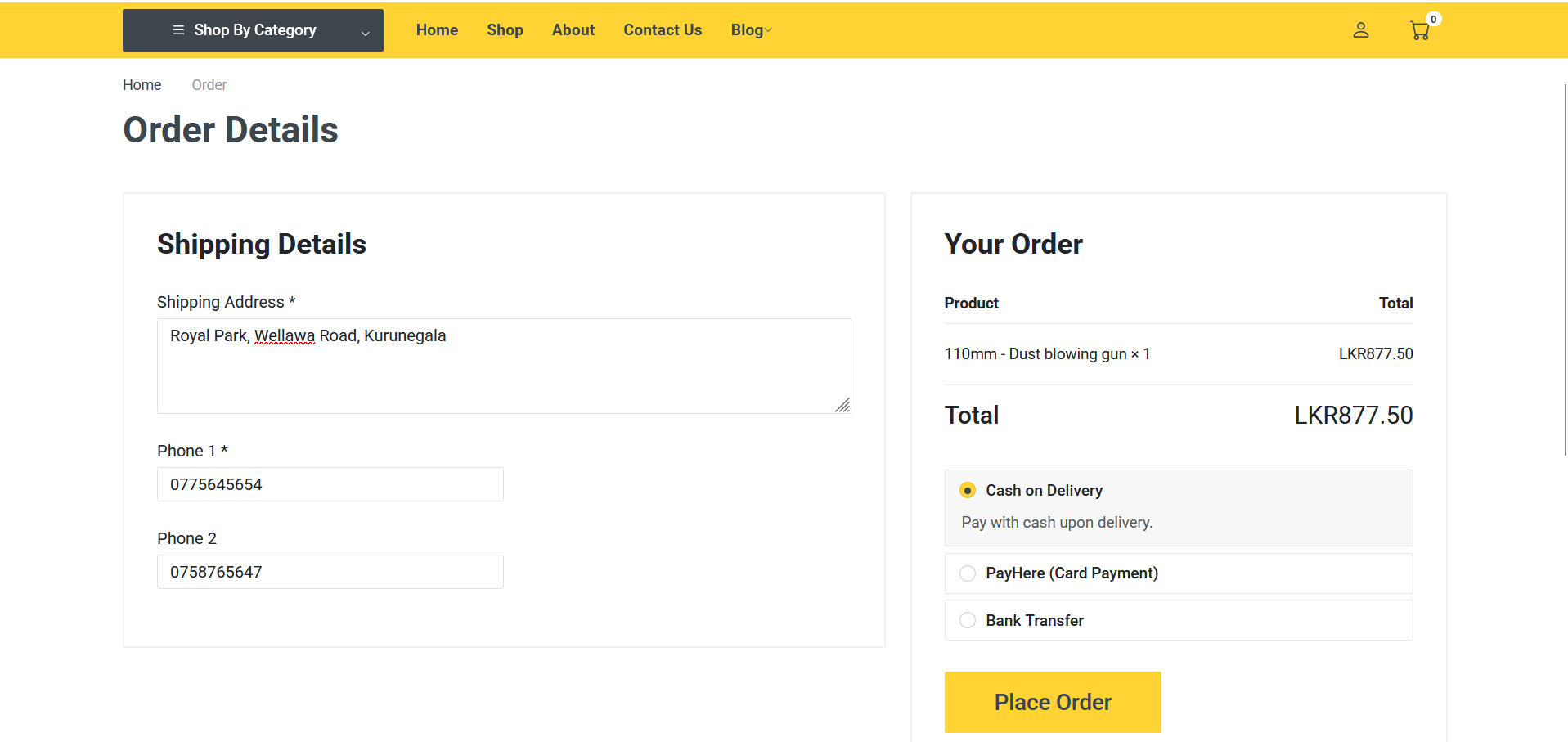
This page will show the product name, price, and total amount.
-
This method skips the cart entirely and lets you complete your order faster.
4. Entering Your Contact and Delivery Details
On the checkout page—whether you came through Add to Cart or Buy Now—you will be asked to enter your delivery information:
-
Primary Phone Number
-
Secondary Phone Number (optional, but recommended)
-
Delivery Address
Make sure to enter accurate details so your order can be delivered without delays.
5. Placing the COD Order
Once all details are filled in:
-
Select Cash on Delivery (COD) as your payment method.
-
Click the Place Order button.
-
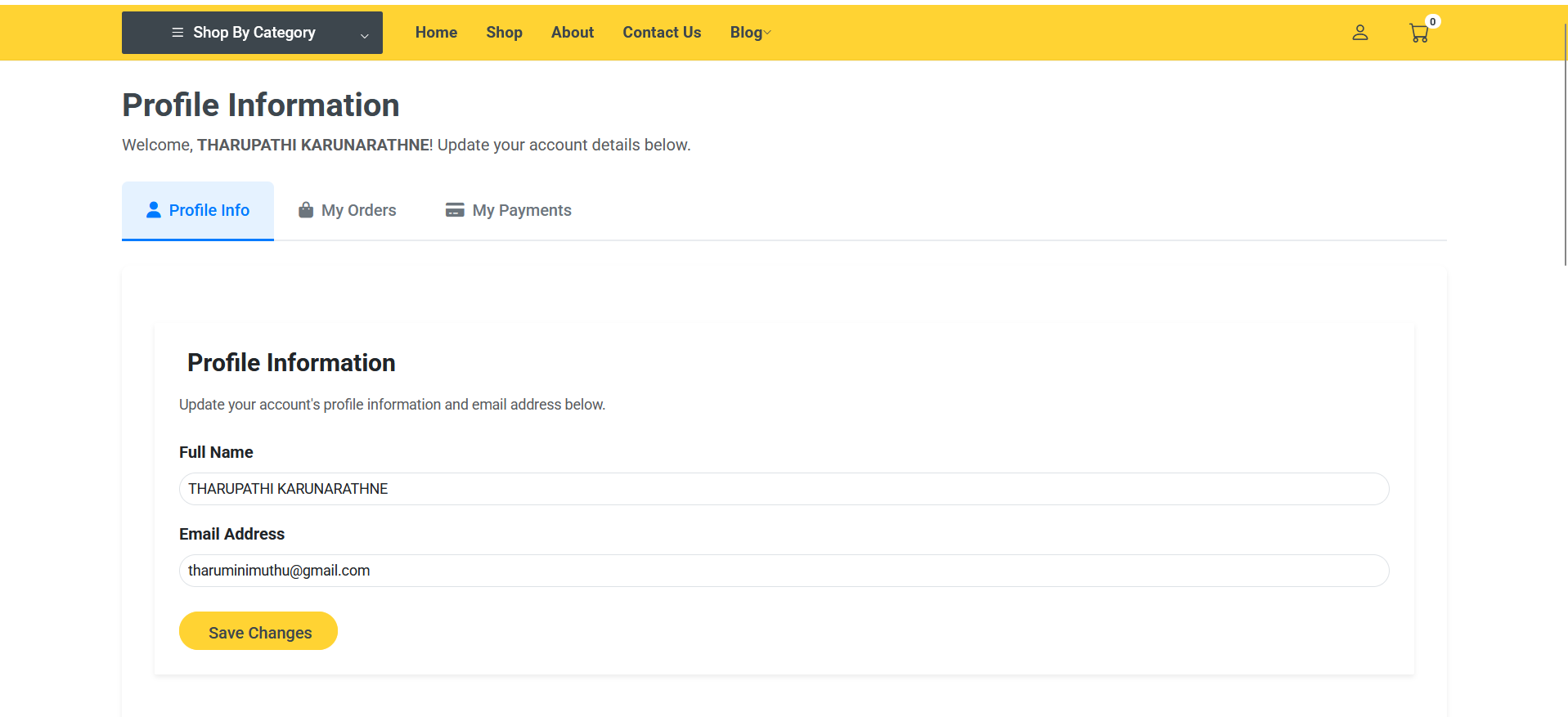
If your order is successful, the system will redirect you to your Profile page.
-
There, you can view your order confirmation, order ID, and status.
This confirms that your order has been placed correctly.
6. How Cash-on-Delivery Works
When you choose COD:
-
You do not need to pay online.
-
The payment is collected by the delivery person at your doorstep.
-
Please keep the exact amount ready for convenience.
COD is a safe and easy option, especially for customers who prefer paying only after receiving their product.
7. Final Summary
Here’s a quick recap of the process:
-
Choose the product you want.
-
Use Add to Cart for multiple items or Buy Now for a single item.
-
Enter your phone numbers and address at checkout.
-
Select Cash on Delivery and press Place Order.
-
You will be redirected to your profile page after the order is placed.
-
Pay in cash when the product is delivered.